CaraPaws: designing a UI prototype
2026-10-16
I’ve been working with a teammate on an application named CaraPaws for the Global Classroom module at TU Dublin during my Erasmus exchange. It is a dog-care app built around a fairly simple idea: owners should be able to see how their dog is doing while somebody else is looking after them. With the UI design nearly finalised, I wanted to share how the prototype developed.
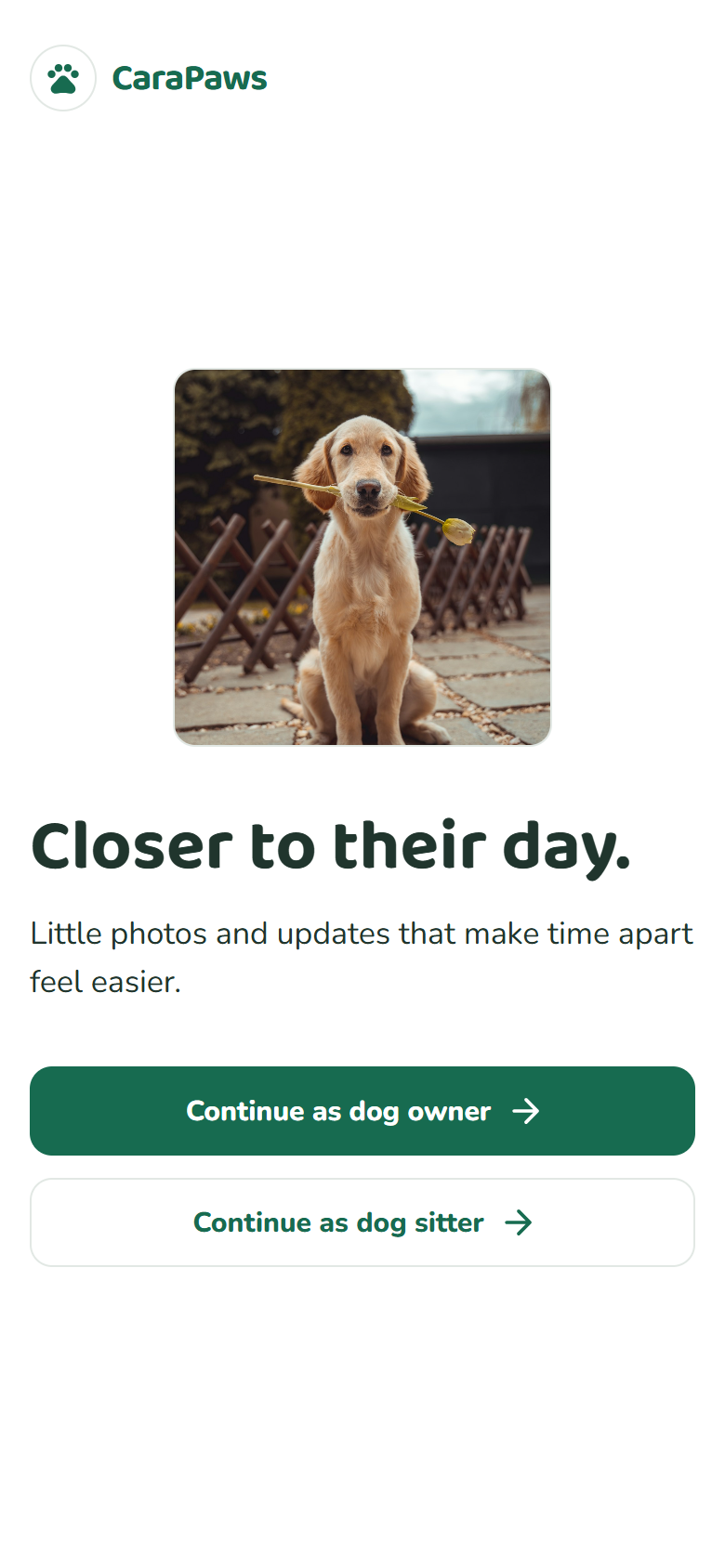
The welcome screen of the application.
The app is designed around two roles: dog owners and dog sitters. Owners can create a profile for each dog, bringing together a photo, basic details, feeding instructions, medical information, and the things their dog loves or dislikes. They can also find a sitter by their unique username and send a care request. Sitters have a list of the dogs in their care, with each dog linking to its updates and profile, so the information they need is close at hand. Both roles share the same overall design, but the available actions reflect what each person needs to do: owners check in on their pets, while sitters share care updates and access owner or emergency contact details when needed. I wanted the app to feel familiar from either side, with the dog remaining the focus throughout.
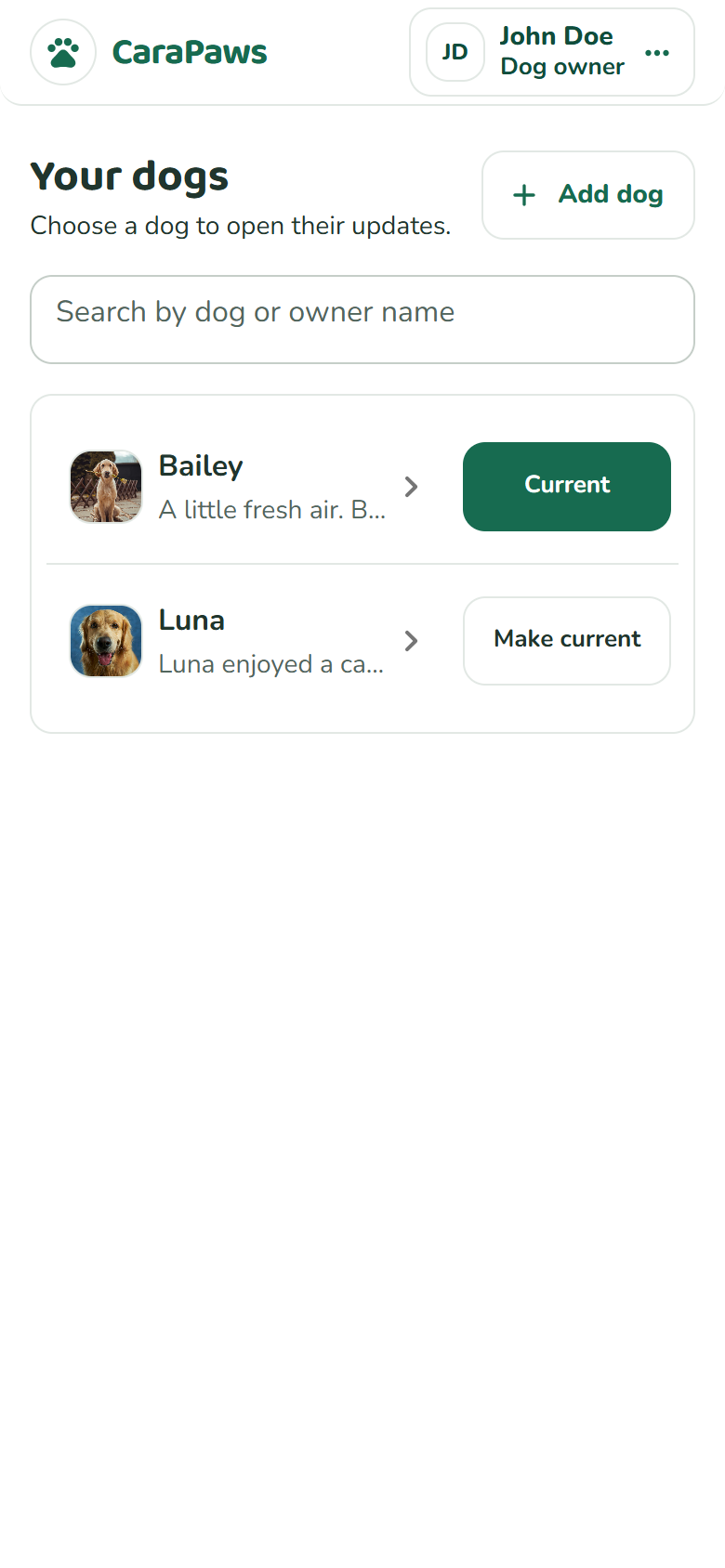
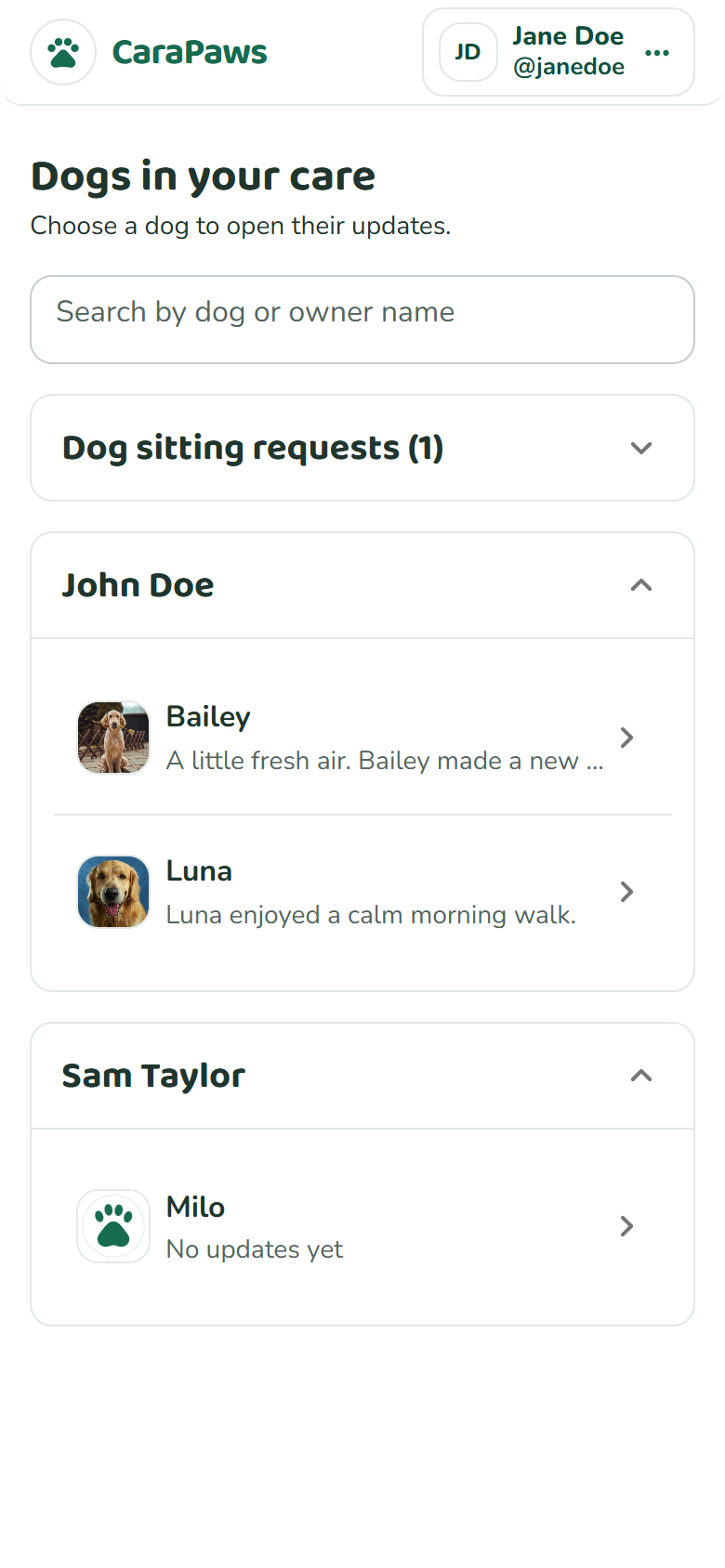
The biggest challenge when designing the prototype was reworking the user flow for quicker access to updates and the dog list. Originally, owners went through the list and a dog profile before reaching the updates. Now they land directly on their current dog’s updates, with a “My dogs” button available from that screen to switch between dogs. Sitters begin with the dogs in their care, and selecting a dog opens its updates straight away. Mapping this out helped me and my teammate see that the two roles could share much of the interface without needing the same starting point.
The visual style aims for a calm, friendly look, with a lot of contrast between the text and background to make the interface as accessible as possible. For the typography, I chose Baloo 2 for the rounded, playful headings and Nunito for the body text and controls. Together, they give the app some personality while keeping the practical information easy to read.
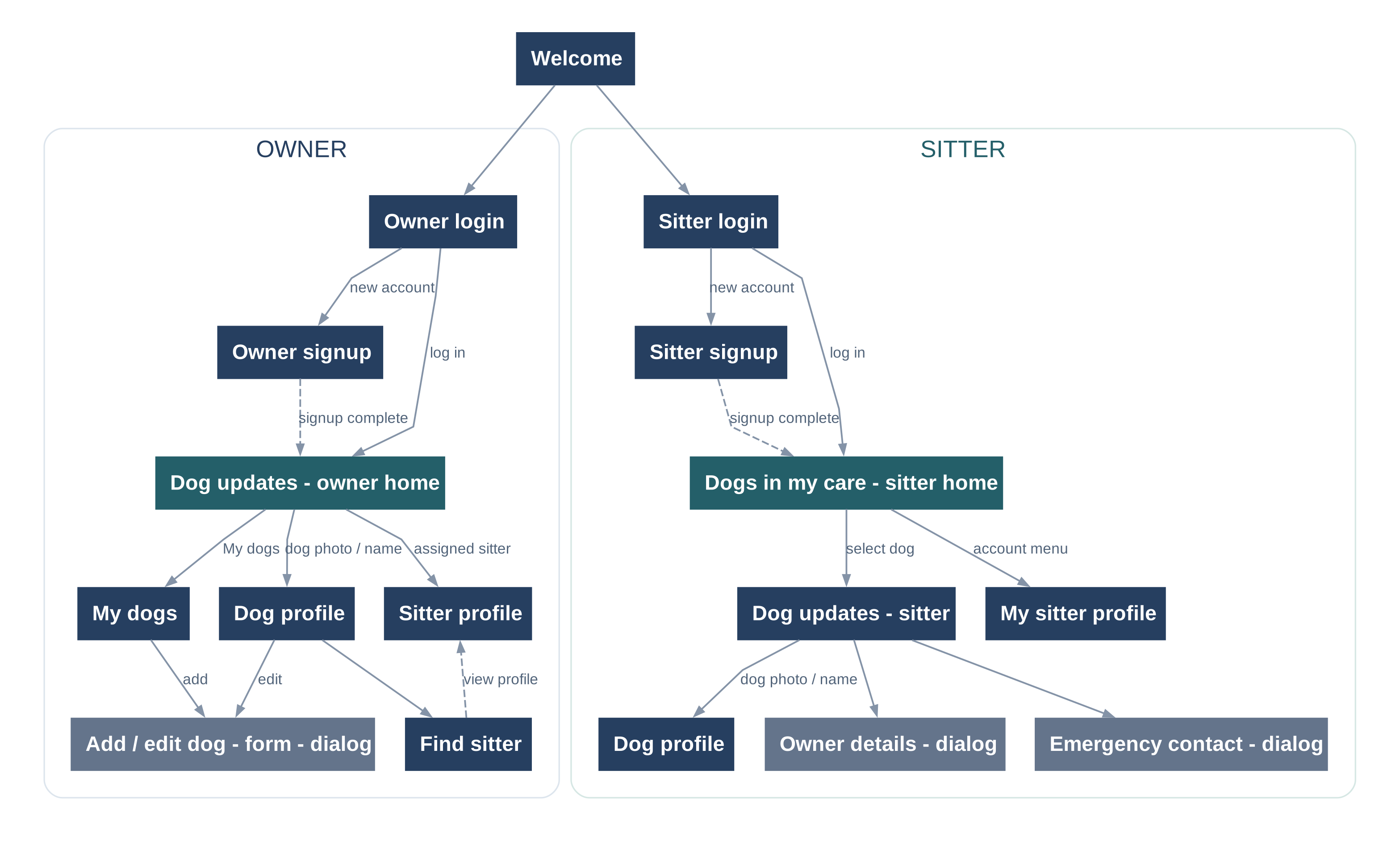
Diagram showing the owner and sitter journeys.
The updates use a familiar, chat-like layout, with photos at the centre of the experience. Every care update includes a photo and can have a short message, giving owners a glimpse of activities like walks or rest time. Sitters can post from that same screen, while the dog’s profile keeps feeding information and other care details close at hand.
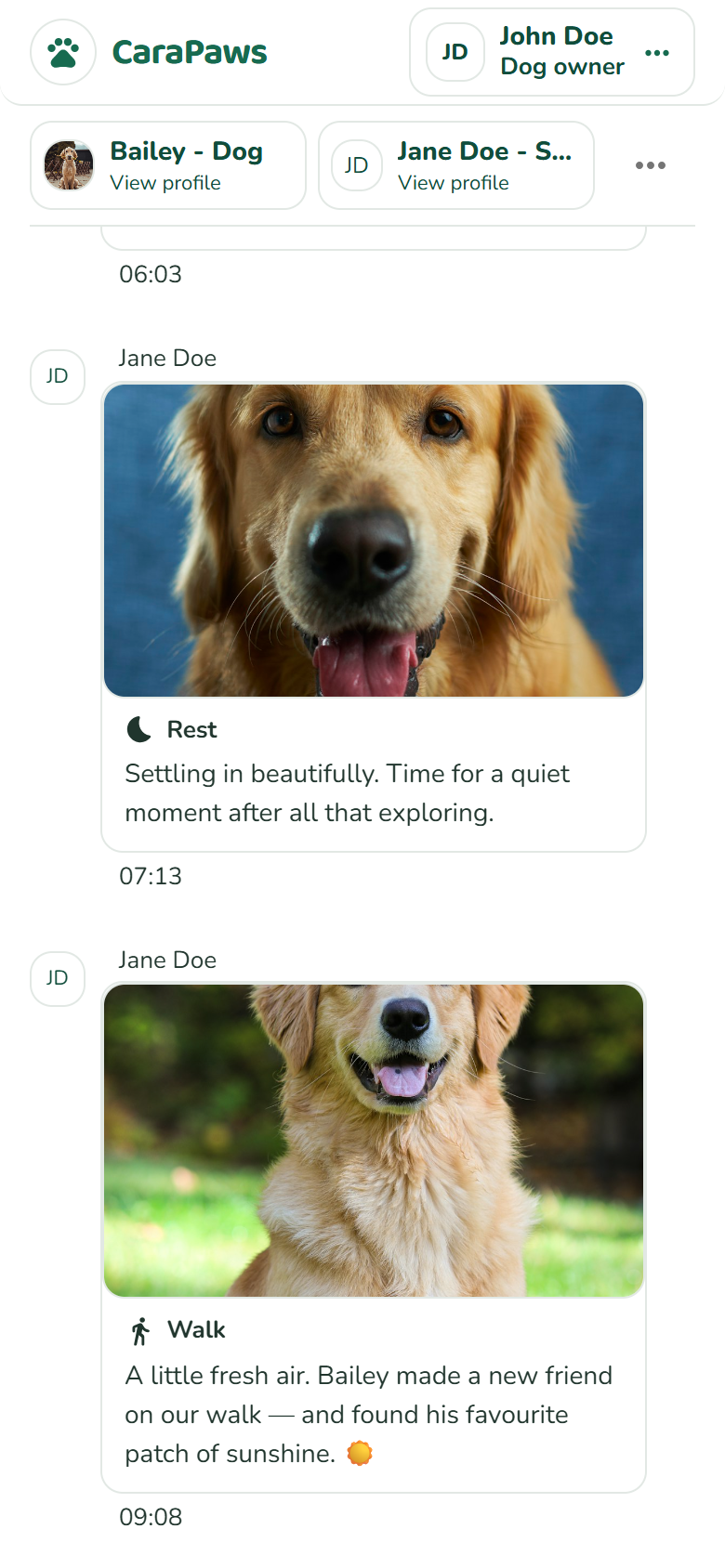
Owners follow the day’s care through photos and short updates. All accounts and care details shown are fictional demo data.
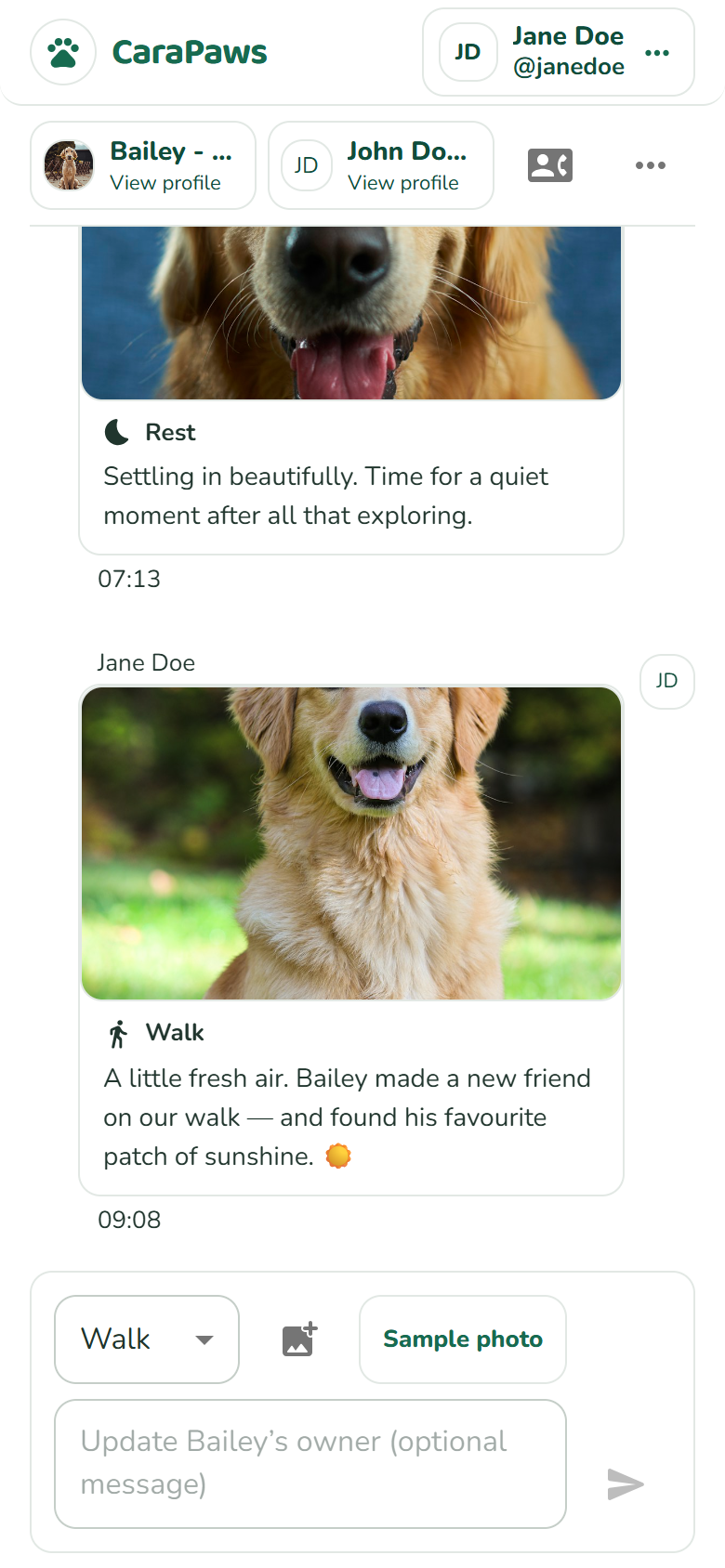
Sitters share a photo and optional message from the bottom of the same view.